Showing posts with label medieval. Show all posts

Saturday, October 23, 2021

From blender to substance painter + texturizing


This is a step-by-step straight to the point of how to export a model created in blender, import in substance painter and texturize.

In Blender, I modeled a small medieval-style house. The modeling step-by-step I won't show you, because it's pretty basic. If you need the file, you can leave a comment here that I send it to you.


HOW TO EXPORT TO .FBX


0) I'll assume you've finished modeling the house, and you have the file open in blender (in fact, it could be any other model): 


1) Objects will not be recognized by the name assigned in the blender. Substance painter (at least as of now 2021) recognizes objects by the material assigned to them.

  See the example below:


2) I don't recommend using the same material name for other objects that use the same material, it can generate UV errors.

But test at will. So in this step, choose each object and assign a material to it. Also, do the UV mapping correctly.


3) Assuming you have already generated the uv's of each object, assigned materials, let's export the file. 

Select all the objects you want to export:


4) Go to File --> Export --> FBX


5) Do as I did, follow the example, check the same options and choose a file name:


HOW TO IMPORT .FBX INTO SUBSTANCE PAINTER


6) If you don't have substance painter installed, download a demo version. i'm assuming you have it:

Tuesday, June 1, 2021

Medieval Scenery : Update 2 : Lighthing and some changes (before/after)


This is a medieval scenario that I created using blender, based on an image from the game age of empires 2. I am showing the before/after I dealt with lighting in a better way. 

The project can be seen here: https://www.artstation.com/artwork/Xn6Gal


Object work in progress: https://sngnwip.blogspot.com/2021/04/medieval-scenery-update-1-remodeling.html


Reference image:


How it was done? I will post someday.


Here's the before/after progress:

Wednesday, April 14, 2021

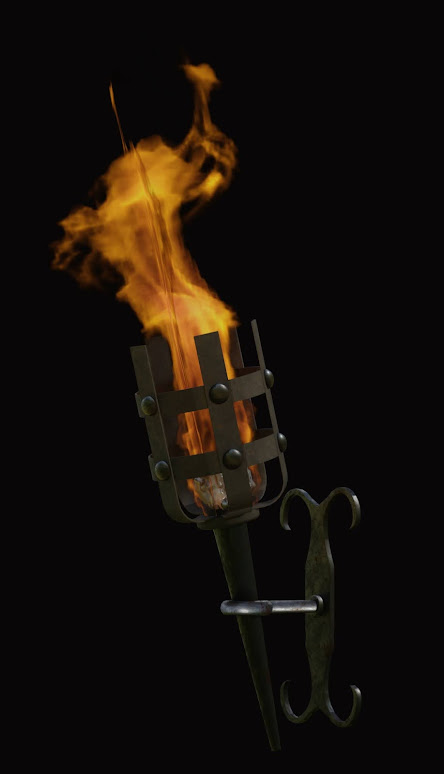
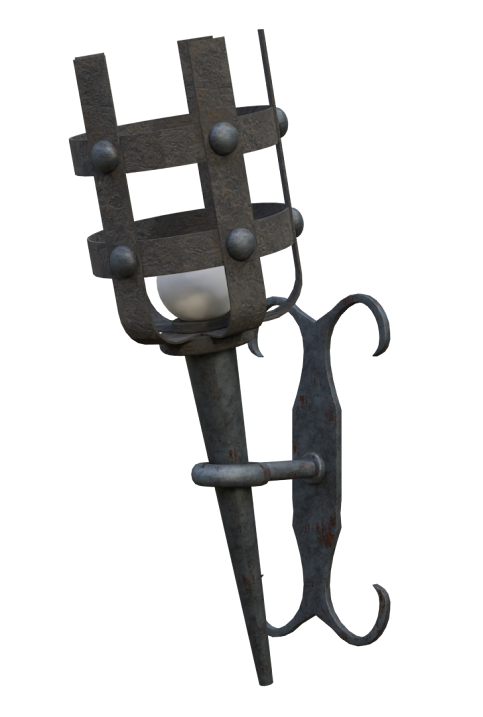
Medieval Scenery : Update 1 : Remodeling objects (before/after)


These are objects modeled in blender for a medieval scenery that I've created, based on an image from the game age of empires 2. 

I am showing the before/after I dealt with lighting in a better way. 

The project can be seen here: https://www.artstation.com/artwork/J96kyA

Medieval scenery can be seen here:  https://www.artstation.com/artwork/J96kyA


or here in this blog:  https://sngnwip.blogspot.com/search/label/medieval


OBJECT 01: Torch


AFTER


BEFORE


OBJECT 02: Shield


AFTER


BEFORE


Thursday, December 31, 2020

Creating a cyberpunk 2077 like city in blender Pt1 (Level of detail, concept)


I'm trying something very cool - to create a scene like cyberpunk 2077 in Blender. Here's my work in progress with comments so you can understand how I think.


As an architect, I thought about creating a high-rise building as in real life - with columns, beams, structures.. (I'm talking specifically about the structural part that sustains the building, that most people don't pay attention to) as you saw in these photos. 

Now take in mind taking this approach in an open world environment, and probably it would have a lot of buildings.. and let's multiply by the LOD (level of detail) and especially in this case Level of reality (columns, beams, structures). The result? 

This approach can consume a lot of memory, even though is correct. 

An example of where this approach is needed, also, is welcome due to the concept of the scenery/idea is below:


STEP 1: Columns, beams (structure)

STEP 2: Defining textures, direction, what will / won't repeat


STEP 3: Texturizing (using super texture plugin), defining Height / Displacement maps, etc.

STEP 4: Inserting walls, windows, openings, roofs, according to the structure. 


PS: I will create a post dealing with this work (medieval scenery) too,  created  with Blender.  I will write about memory / cpu and other things that must be took  in  mind when projecting a scenery. The full project is here: https://www.behance.net/gallery/109918271/Medieval-Scenery


Why this approach? 

The building in that time (at least I/We believe) were built that way, which the player  needs to feel like. Columns, beams, and some details are needed. I could neglect and make without that, but would seem flat/not too real, taking into account we are in new gen of consoles/pcs.


Ok, going direct to the point:  Here's my concept:


-Height: 250 meters 

-Width and length: 50 meters

-Steel structure Internal (not visible) and external (visible)

-Approximately 80 floors

-Helipad


Let's build it!


I'm using some basic colors to show the difference between objects.

Another idea is that the system in which this mesh will be used, could do the following things:

  • Process details according to the distance from which the user is seeing the object, for example: from a far distance is not a good practice to draw the inside of a building.

  • Maybe even use textures according to the necessity, distance... things that the human eye will see only when next.

  • Use the same texture in different settings, only changing the colors or even quality.

To be continued...